See how Mediator works

A real negotiation, in six steps.
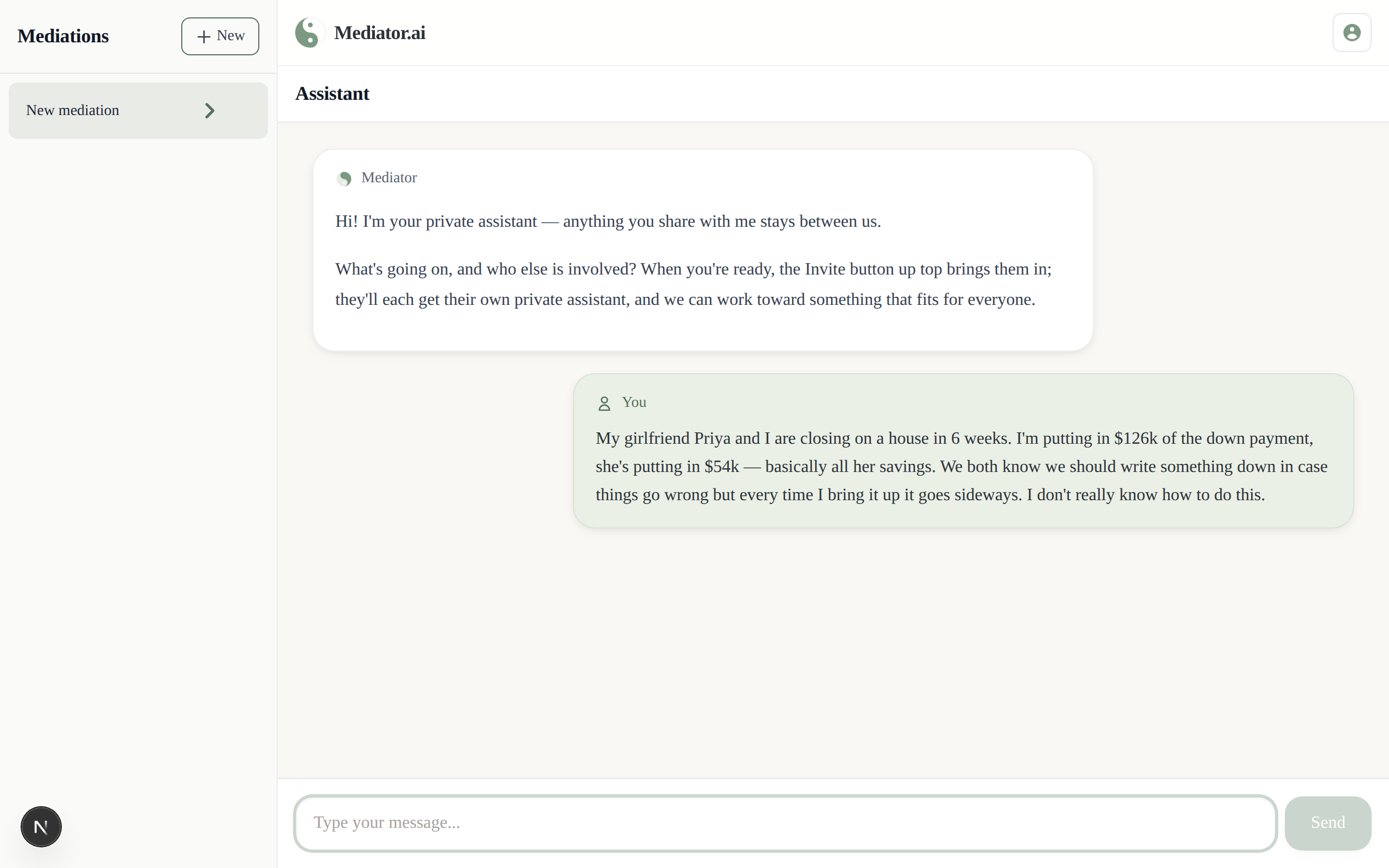
Describe the situation — Opening chat with user describing their situation
One of you starts by telling Mediator what's going on — in your own words, the way you'd describe it to a friend.
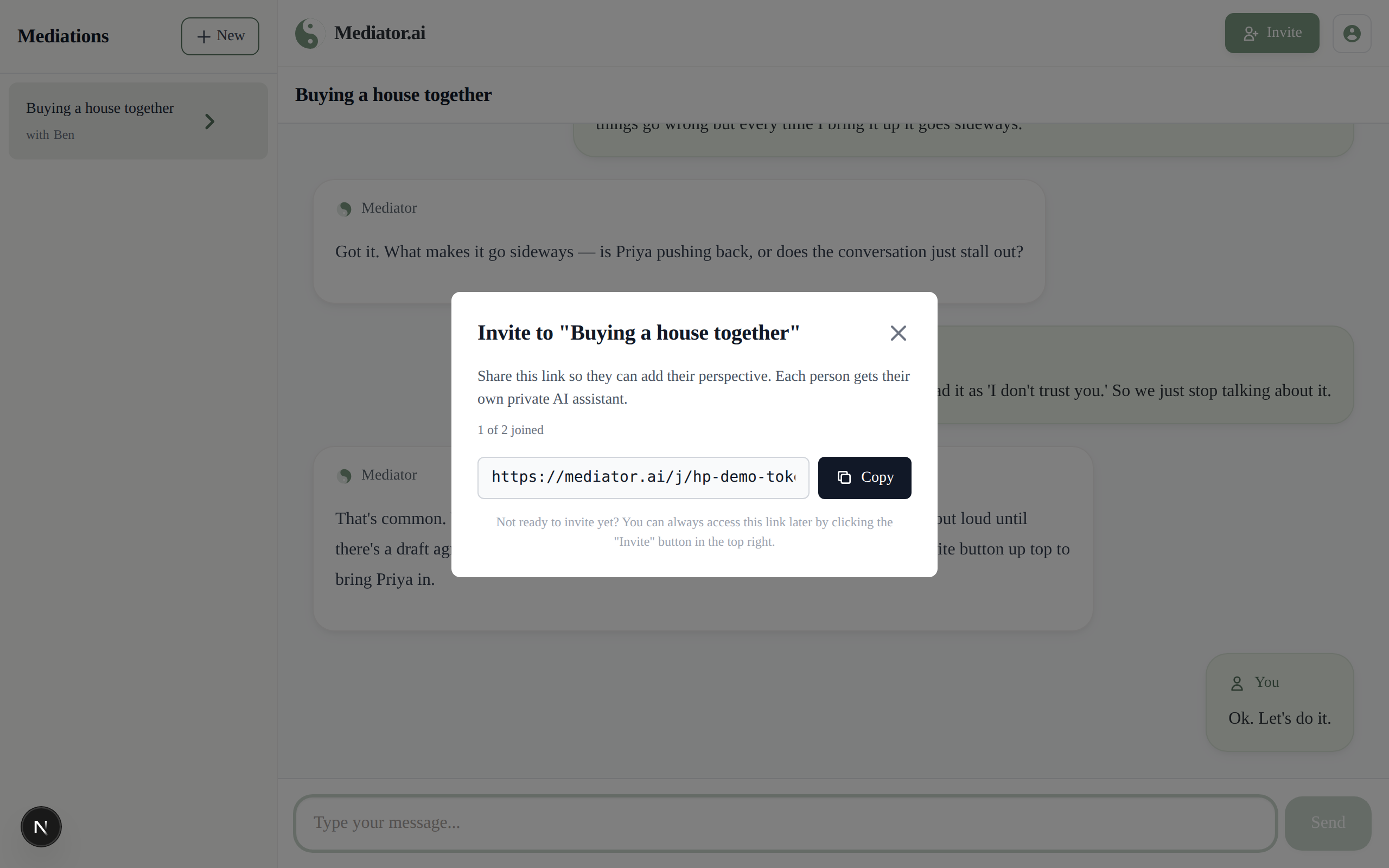
Invite the other person — Invite link generated and ready to share
Share a link. The person who starts the negotiation pays for it — the invitee joins on their own device, no account or charge needed. Neither of you ever sees the other's private conversation.
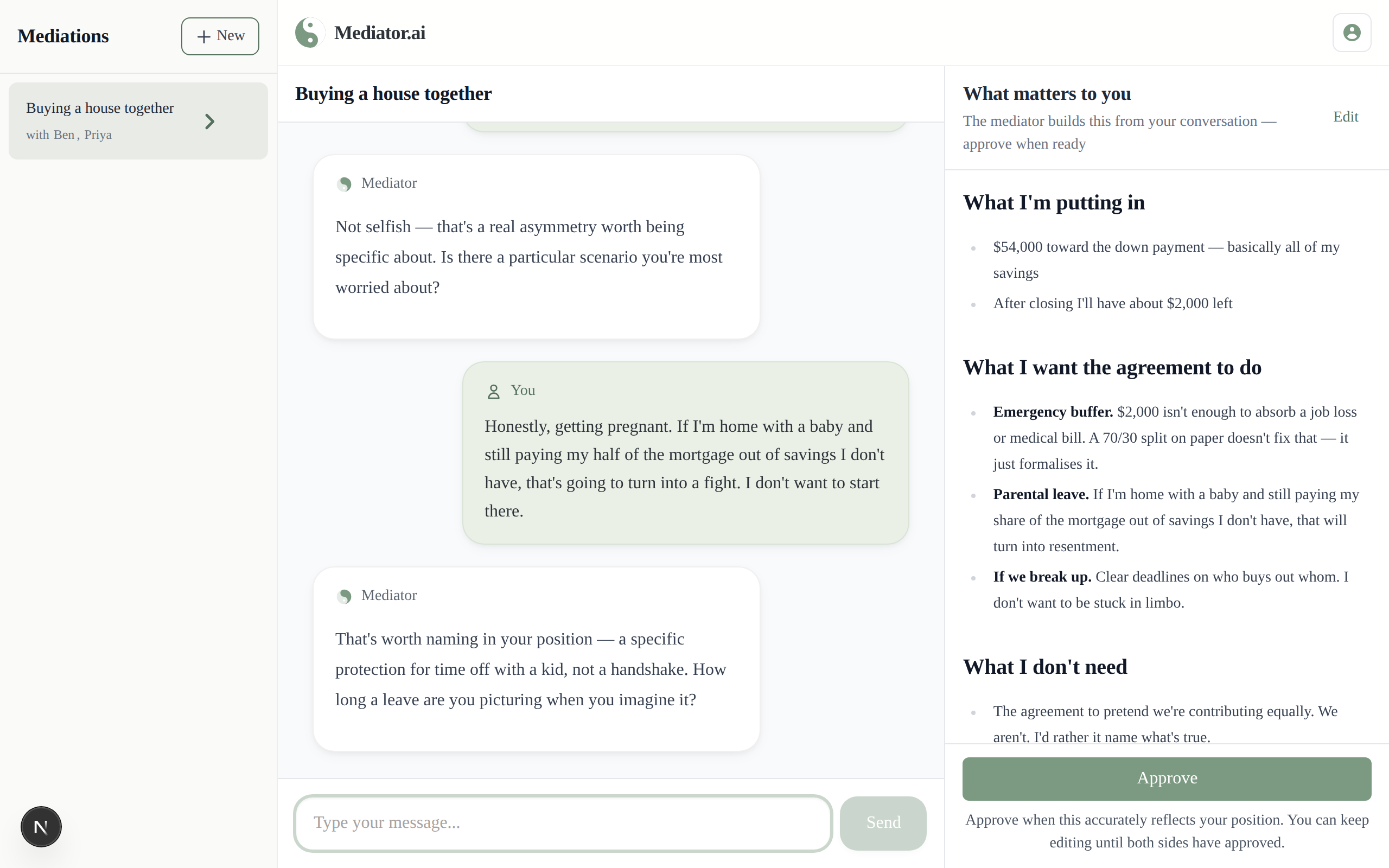
Each side is interviewed privately — Private interview, position document taking shape
The assistant talks to each of you separately, asking the questions that matter, and turns what you said into a clear position document — yours alone, yours to review and edit.
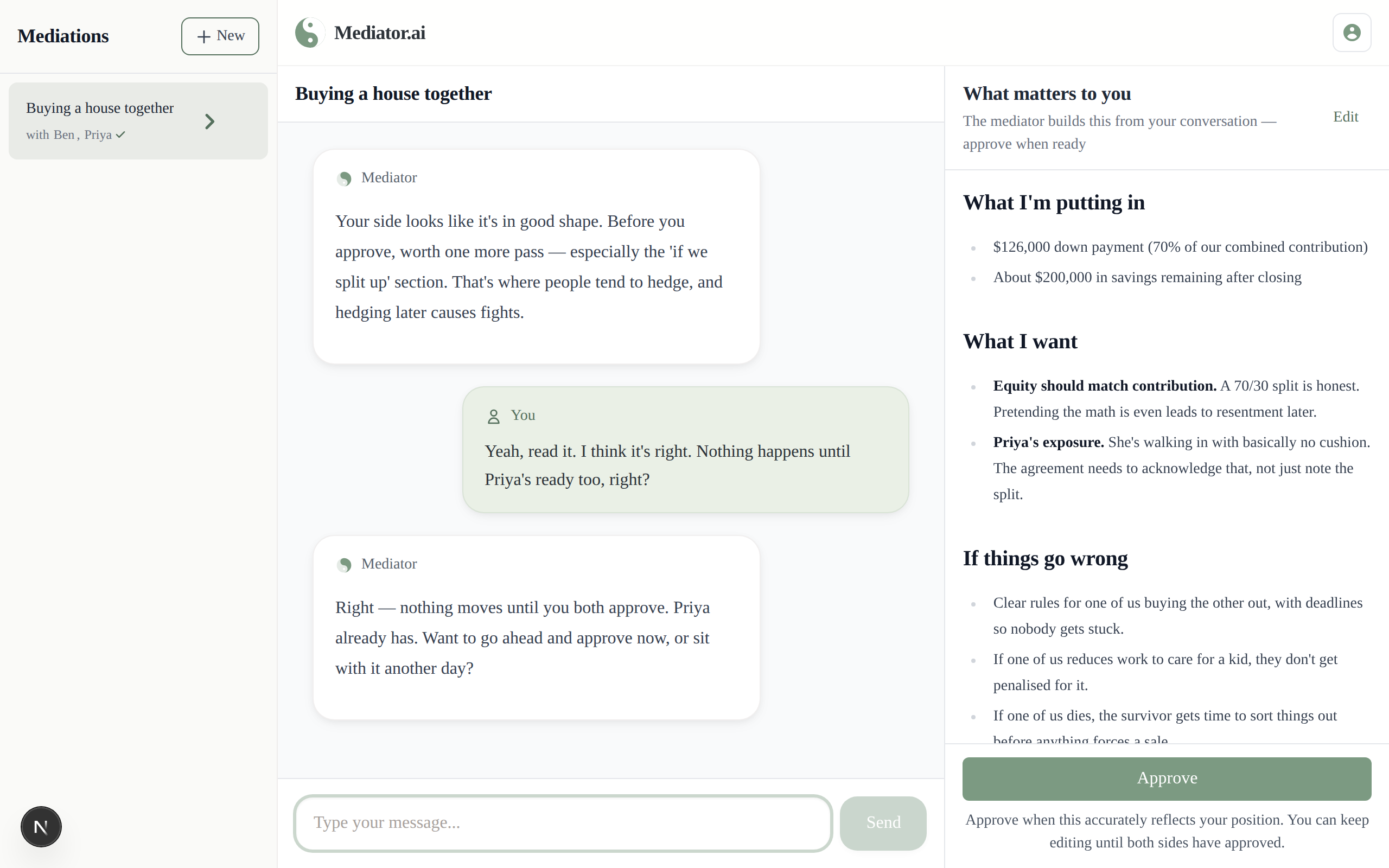
Approve your side when you're ready — 'Approve' button on the position document
You each approve your own position document when it says what you mean. Nothing is used to draft the agreement until you've both approved.
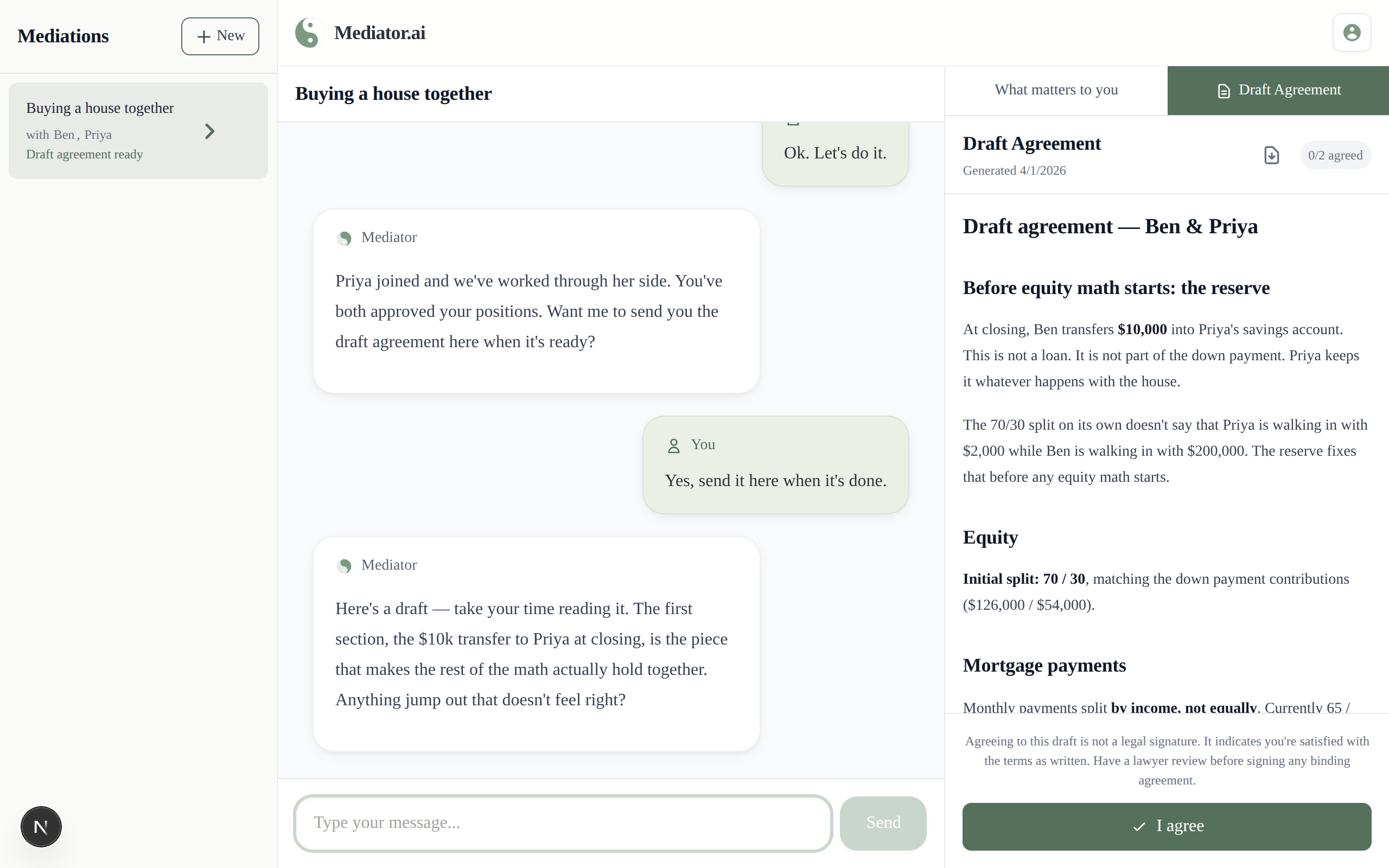
Mediator drafts an agreement — Draft agreement shown in the app
A few minutes later, Mediator drafts several candidate agreements, weighs each against both of your positions, and picks the strongest fit — often including elements neither of you had proposed. Both of you get an email, and it appears here the moment it's ready.
You each decide. Independently. — Accept / decline choice, per participant
No commitment until you've seen the agreement. Each of you decides separately, privately — if either says no, nothing is locked in. Mediator helps you find an agreement; it never decides for you.

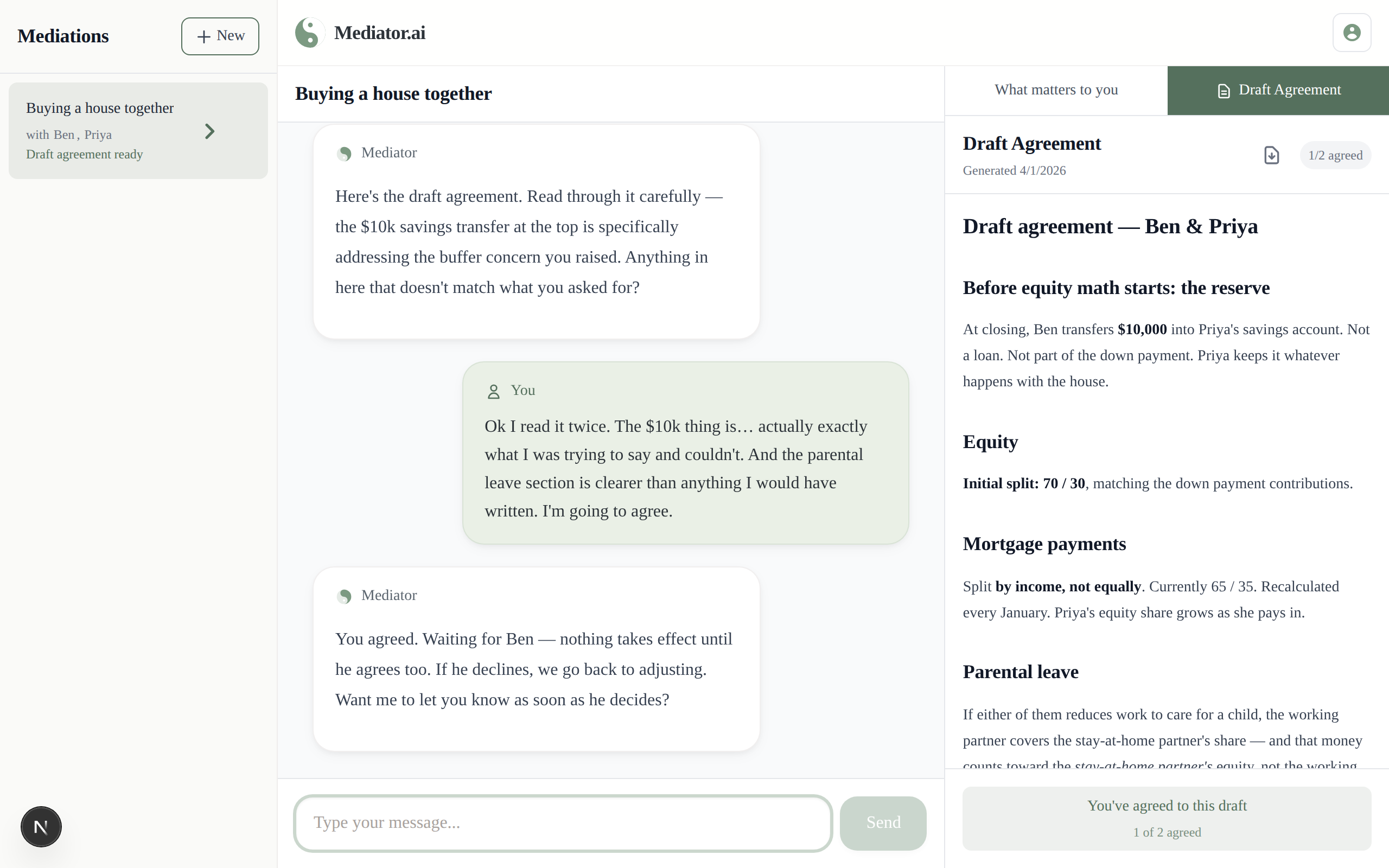
Use ← → arrow keys to navigate

Curious how it plays out?

Read the full story of Ben and Priya — why they couldn't start the conversation, what Mediator surfaced privately, and the agreement they both accepted.

Read the full example →

Who pays?

Only the person who starts the negotiation. The other participant joins free — no account, no card needed.